Falling Pickaxe Demo for Indian Players
Play Falling Pickaxe free in demo mode to explore the pickaxe, destructible blocks and Bonus Buy with a test balance, without risking ₹10 or any other real money.
Time to Register
You've been playing the demo for 10 minutes. Register now to play with real money and claim your welcome bonus.
Register NowFalling Pickaxe can be opened without a deposit or registration, letting players in India learn how the single reel works before staking real rupees. The demo uses CASH (DMO), a practice balance that cannot be withdrawn, while retaining the core mining flow, low volatility, 95% RTP and maximum win of x160 shown for the paid version.
📑 Table of Contents
1 Start the Falling Pickaxe Demo
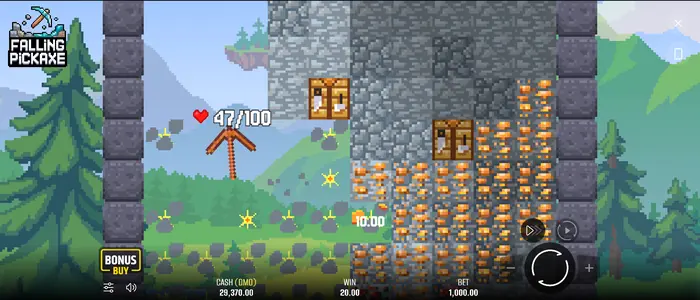
Open the Falling Pickaxe demo, wait for the mine screen to load, then choose a stake from the practice balance. Press Spin to begin; the reel produces a pickaxe outcome and the tool then falls through the blocks. Indian players should also check that the selected operator serves users in India before moving beyond the free version.
The demo needs no deposit, and the displayed CASH (DMO) is only for testing the controls and round flow.
2 Reading the Demo Game Screen
The main display keeps the current round details close at hand. CASH (DMO) is the non-cash practice balance; BET shows the selected stake, while WIN records the result of the round. Spin starts a play, and Bonus Buy opens its menu when that option is enabled.
Sound, Menu, Turbo and Auto provide quick access to settings and controls. CASH (DMO) is not INR, cannot be withdrawn and does not represent real winnings.
Mine Grid and Pickaxe Health
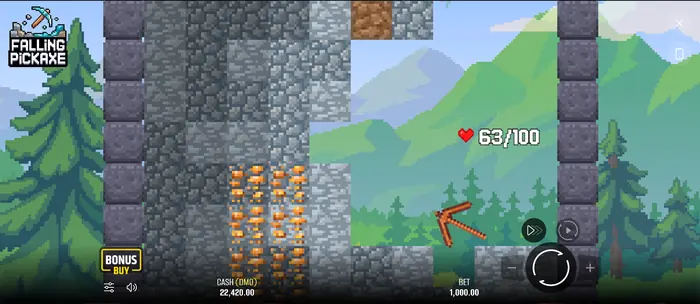
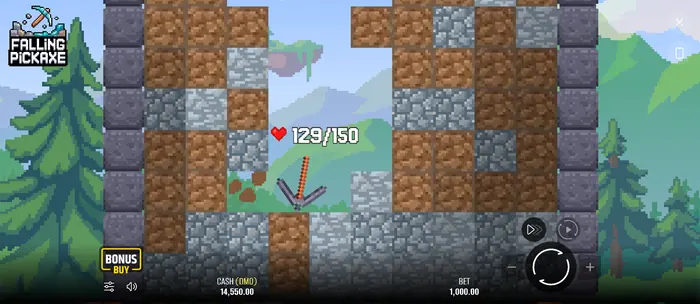
The central area is a falling physics grid rather than a conventional multi-reel layout. Watch the pickaxe move through destructible blocks while its HP is tracked with hearts or a similar health display. Each strike reduces the pickaxe and the current block by one HP, so the visible mine changes as the round progresses.
The four possible tools are Wooden, Stone, Iron and Diamond Pickaxe, with 100, 150, 200 and 400 HP respectively.
Spin, Turbo and Stake Controls
Spin starts the round, while Turbo changes the pace of the reel animation. Pause can temporarily stop the on-screen action where the interface provides it. Use Plus and Minus to adjust BET, then check the amount again before the next play.
In India, the real-money stake should be understood as an INR amount. The demo range shown here runs from ₹10 to ₹20,000, although an operator may apply separate limits for paid play.
3 A Typical Free Demo Round
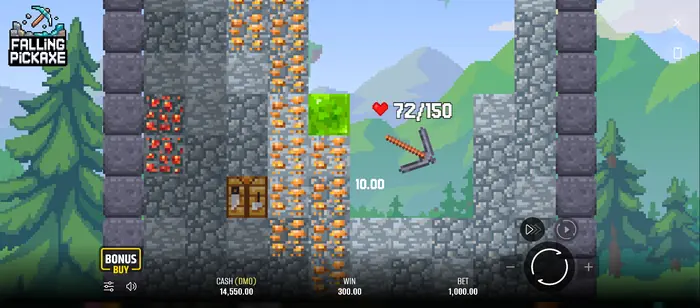
Choose BET, press Spin and watch the pickaxe outcome appear on the single reel. The tool then works its way down through the available blocks; reward-bearing blocks add to the round total, and the field updates after the attempt ends.
When you are ready to compare the practice interface with paid play, visit the real money casino game. That page concerns actual stakes and operator terms, not withdrawals from the demo.
Blocks Break and Values Accumulate
A reward value may appear beside a block when the pickaxe clears it. These amounts are collected during the round rather than paid separately after every hit. Once the pickaxe reaches 0 HP, the accumulated result is displayed in WIN.
| Block | HP | Reward |
|---|---|---|
| Dirt | 1 | No win |
| Stone | 1 | No win |
| Copper | 5 | x0.01 of stake |
| Redstone | 10 | x0.05 of stake |
| Gold | 15 | x0.2 of stake |
| Diamond | 20 | x1 of stake |
| Emerald | 30 | x5 of stake |
When One Attempt Ends
The attempt finishes when the pickaxe HP reaches zero. Its collected rewards are then combined and shown as the round result. Press Spin again to begin another free attempt with the demo balance.
A technical failure voids game rounds and payouts according to the supplied rules, so treat a broken or interrupted display as an issue to report rather than as a confirmed win.
4 Symbols and Special Mine Cells
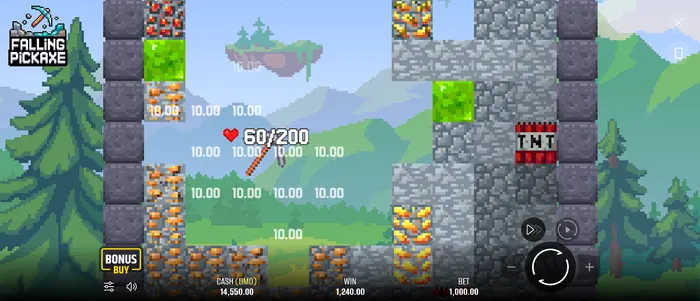
The demo lets you inspect ordinary blocks alongside special objects. Dirt and Stone do not award a win, while Copper, Redstone, Gold, Diamond and Emerald carry the listed stake multipliers. TNT, Upgrade Arrows and the Workbench alter how the mining path behaves.
The interface may also show a chest. Use the in-game rules or paytable to confirm any chest behaviour before assuming it changes a result.
Ore Blocks and Their Visible Tiers
Colour and texture help you distinguish common ground from ore as the grid shifts. The rule values are tied to the block type: Copper pays x0.01 of the stake, Redstone x0.05, Gold x0.2, Diamond x1 and Emerald x5 when the relevant block is destroyed.
A rarer-looking cell still needs to be cleared before its reward counts. The demo is a practical way for players in India to recognise each visual level without spending INR.
TNT, Workbench and Upgrade Arrow
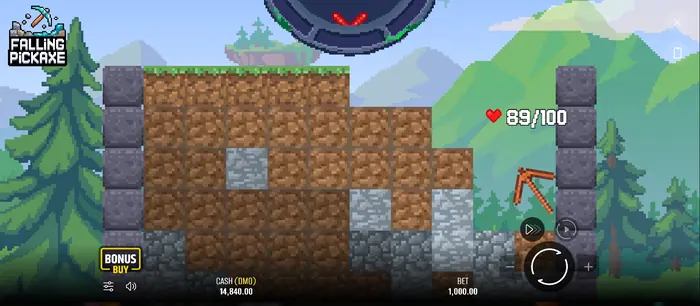
TNT explodes when destroyed and clears blocks within a defined radius. An Upgrade Arrow enlarges the pickaxe for 3 seconds, first to 1.5 times its size; another active arrow can raise that effect to 2 times, then 2.5 times after the next hit.
The Workbench fully restores pickaxe HP and moves it to the next tier, from Wooden to Stone, Iron and then Diamond. To think through session choices before playing for money, read the Falling Pickaxe strategy guide, then confirm the operator's own rules.
5 Free Settings and Auto Spins
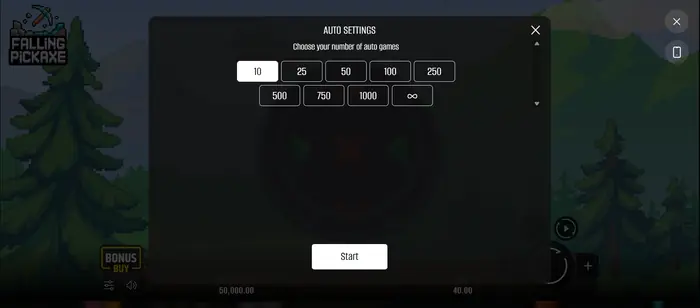
Open Auto Settings to test a run of automatic games. In demo mode, this is useful for learning the pace of the falling grid and seeing how the interface behaves without pressing Spin after every round.
Auto repeats the selected number of spins using the same stake that was active when Auto was opened. Press Auto again to stop the sequence, while Spin can speed up the reel animation.
Choose the Number of Auto Games
The visible Auto options are:
| Automatic spins |
|---|
| 10 |
| 25 |
| 50 |
| 100 |
| 250 |
| 500 |
| 750 |
| 1000 |
| Infinity |
Select an option and press Start. You can stop the sequence through the available interface control; in the Indian demo, this remains a way to observe rounds, not to earn INR.
6 Using Bonus Buy in Demo Mode
Bonus Buy opens the purchase menu when the feature is available in the current demo. It shows how the additional feature is reached, but the demo balance and purchase conditions can differ from the real-money version.
Before paying in INR, check the operator's rules, limits and payment details. If you use UPI, Paytm, PhonePe, Google Pay or another supported local option, confirm the transaction terms on that operator's site.
7 What the Demo Can and Cannot Tell You
| The demo shows | The demo does not guarantee |
|---|---|
| The interface, controls, blocks and round mechanics | That the next real spin will repeat the same result |
| The stated 95% RTP, low volatility and maximum win of x160 when shown in the official game information | A cash payout or withdrawal in INR |
| How Bonus Buy and the test balance appear in this version | That demo results predict real-money performance |
Use the demo to learn the controls and mining sequence. For paid play, rely on the operator's current rules and licensing information rather than a short run of practice spins.
8 More Falling Pickaxe Pages
Choose the next page according to what you want to check: the casino version covers real-money conditions, the strategy section discusses session decisions, and the Home page returns you to the main catalogue of Falling Pickaxe information.
9 Responsible Play for Adults in India
The demo is suitable for learning without financial risk, but real-money play is for adults aged 18 and over. Set an INR limit before a session, keep the amount affordable, and do not chase losses.
If you are in India, confirm that the operator legally accepts Indian players, review its age and licensing information, and check the available payment terms before registering. Stop if play no longer feels controlled and seek appropriate support.
FAQ
What are the minimum and maximum Falling Pickaxe demo stakes in India?
The demo shows a minimum stake of ₹10 and a maximum of ₹20,000. Paid-game limits in India can differ, so check the specific operator's current terms.
Can the Falling Pickaxe demo pay real money?
No. CASH (DMO) is a practice balance. You can see a value in WIN, but it cannot be converted into INR or withdrawn to a bank account or e-wallet.
Is Bonus Buy available in the demo?
Yes, Bonus Buy appears when it is enabled in that demo version. It lets you view the feature, but its demo balance, price and conditions may differ from real-money play.
How does the pickaxe interact with blocks?
After Spin, the reel produces one of the four pickaxes or a Cross outcome. The pickaxe then falls through blocks, reducing one HP from itself and the current block per hit. The round ends at 0 pickaxe HP, and accumulated rewards are then shown in WIN.