Falling Pickaxe demo for free play
Try Falling Pickaxe free in demo mode to explore its falling pickaxe, destructible blocks and Bonus Buy without risking Philippine pesos.
Time to Register
You've been playing the demo for 10 minutes now. Register to play with real money and claim your welcome bonus.
Register NowFalling Pickaxe from Pixmove Games opens in demo mode without registration or a deposit, giving players in the Philippines a hands-on look at its single-reel mining system. You can test the falling physics grid, pickaxe HP, ore values and interface using CASH (DMO), a practice balance that is not real money and cannot be withdrawn. The demo mirrors the paid version’s 95% RTP, low volatility and maximum win of x160, but its results do not predict real spins.
📑 Table of Contents
1 Start the Falling Pickaxe demo
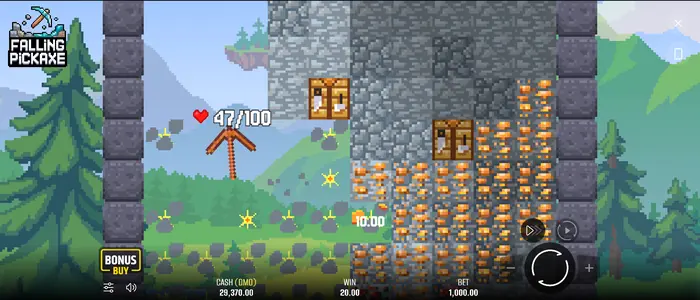
You do not need a funded account to explore the demo. Open the Falling Pickaxe page, let the game board load, then choose a stake from the practice balance. Press Spin to begin; the pickaxe drops into the blocks and the interface records what happens.
For players in the Philippines, it is worth checking that the site serves Philippine users and that the demo loads correctly in your browser. No deposit is needed, and CASH (DMO) is only a test balance.
2 Reading the demo game screen
The display keeps the current round’s essentials close at hand. CASH (DMO) shows the practice balance, while BET shows the selected stake and WIN records the round result. Press Spin to launch a round; when available, Bonus Buy opens its feature menu.
Turbo, Sound, Menu and Auto handle speed, audio, rules and automated play. CASH (DMO) is not Philippine pesos, and any amount shown in WIN stays inside the demo.
The mine board and pickaxe health
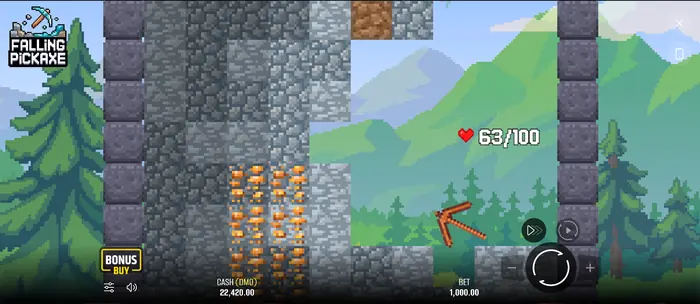
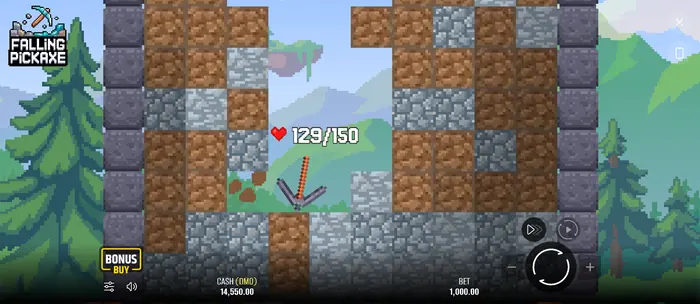
At the centre of the screen, a pickaxe works its way through a variable falling grid of blocks. Its condition appears as HP and hearts; each hit reduces the pickaxe’s HP by 1. The scene changes as layers break apart, so you can see why one attempt lasts longer than another.
The demo includes four pickaxe types: Wooden with 100 HP, Stone with 150 HP, Iron with 200 HP and Diamond with 400 HP. A Workbench can restore HP and move a pickaxe up to the next level; Diamond is fully restored instead.
Spin, Turbo and stake controls
Spin starts the round, while Turbo speeds up the reel animation. Pause temporarily stops the viewing sequence where that control is available. Use Plus and Minus to change the stake, then check BET before launching again.
In the Philippines, the demo stake is displayed in the practice balance rather than real PHP. The stated play range is ₱10 to ₱20,000; actual real-money limits can depend on the operator.
3 A standard demo round
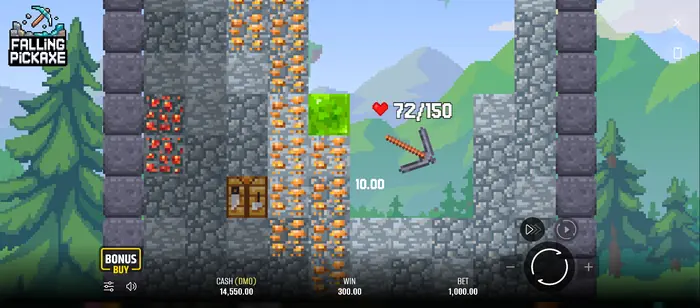
Choose a BET, press Spin and watch the single reel produce either no pickaxe or one of four pickaxes. Once a pickaxe appears, it falls through destructible blocks, collecting any qualifying values as the board changes. When its HP reaches 0, the round ends and the accumulated result appears in WIN.
If you later decide to play for real in the Philippines, review the operator’s stake and game conditions on the real-money casino page. A demo result cannot be transferred into a cash balance.
Breaking blocks and collecting values
Amounts may appear beside blocks as the pickaxe breaks them. They are not paid one at a time: qualifying rewards build throughout the round and are added together, with the total paid when the pickaxe’s HP reaches 0.
| Block | HP | Value |
|---|---|---|
| Dirt | 1 | No win |
| Stone | 1 | No win |
| Copper | 5 | ×0.01 of stake |
| Redstone | 10 | ×0.05 of stake |
| Gold | 15 | ×0.2 of stake |
| Diamond | 20 | ×1 of stake |
| Emerald | 30 | ×5 of stake |
When one attempt ends
The attempt finishes when the pickaxe reaches 0 HP. The game then shows the combined result from the blocks destroyed during that round; the next board can be started with Spin.
There is also a pity rule on the reel: after 7 consecutive Cross results with no pickaxe, the 8th spin guarantees one of the four pickaxes. In demo mode, this is useful for seeing how the opening sequence works without spending PHP.
4 Symbols and special cells in the demo
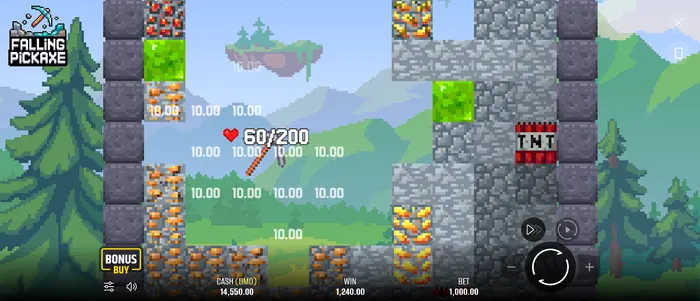
The board can contain ordinary terrain, ore and special objects. Dirt and Stone do not pay, while Copper, Redstone, Gold, Diamond and Emerald carry the values listed in the game rules. The demo also lets you recognise TNT, Upgrade Arrows and the Workbench as the board changes.
These details matter because Falling Pickaxe is built around one falling pickaxe, destructible blocks and upgrades rather than a conventional multi-reel layout. A chest may also appear in the interface; check the current game rules for its exact treatment before playing for money in the Philippines.
Ore blocks and their visible tiers
Colour and texture help you tell the block types apart while the mine shifts after each hit. The HP values also distinguish them: Copper has 5 HP, Redstone 10, Gold 15, Diamond 20 and Emerald 30.
A rarer-looking block is not a promise of a particular outcome by itself. The demo is a practical way to match each visible cell with its stated value, without treating practice results as guaranteed PHP winnings.
TNT, Workbench and Upgrade Arrow
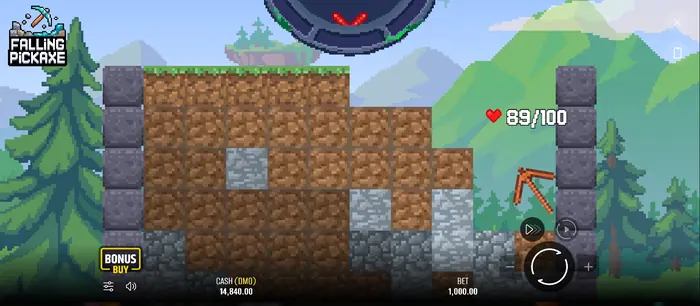
TNT explodes when destroyed and removes blocks within a set radius. An Upgrade Arrow enlarges the pickaxe to 1.5 times its original size for 3 seconds; another arrow during the effect can raise it to 2x, then the next hit can raise it to 2.5x. The Workbench restores all HP and upgrades Wooden to Stone, Stone to Iron or Iron to Diamond.
Watch these objects in relation to the pickaxe’s position, rather than reading them as ordinary ore. Before using real funds, compare the feature rules with the operator’s information and, for a more deliberate session, read the Falling Pickaxe strategy guide.
5 Free settings and auto spins
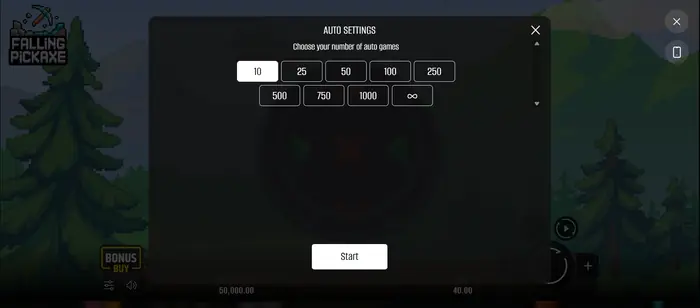
Open Auto to reach Auto Settings and test a run of automated games. This is handy in the Philippine demo when you want to observe the board’s pace, special-cell appearances and changing practice results without pressing Spin after every round.
Auto uses the same stake as the spin that activated it. Press Auto again to stop the sequence, while Turbo can speed up the animation.
Choose the number of automatic games
The demo shows these auto spin choices:
| Automatic games |
|---|
| 10 |
| 25 |
| 50 |
| 100 |
| 250 |
| 500 |
| 750 |
| 1000 |
| Infinity |
Select an option, press Start and stop the sequence through the available interface control. This only runs practice rounds; it cannot generate PHP for a player in the Philippines.
6 Bonus Buy in free mode
Bonus Buy is available in the demo to show how the feature menu works. It can help you inspect a different game flow, but the demo balance and purchase conditions may differ from the real-money version. Treat the button as a preview, not as a cash transaction.
Before paying for a feature in the Philippines, check the operator’s rules, stake limits and accepted payment options, such as GCash, Maya, GrabPay or a local bank transfer. Demo CASH (DMO) never becomes withdrawable money.
7 What the demo shows and what it cannot promise
| Visible in the demo | Not guaranteed by the demo |
|---|---|
| Interface, one-reel layout, falling blocks and pickaxe mechanics | That the next real spin will repeat the same result |
| Pickaxe HP, ore values, TNT, arrows and Workbench behaviour | A cash payout or withdrawal in PHP |
| Paid-version indicators of 95% RTP, low volatility and maximum win x160 | That a demo sequence proves personal profitability |
Use official rules for the game’s RTP and volatility information. The demo is for learning controls and mechanics, not forecasting outcomes; technical failures can also void rounds and payouts under the game rules.
8 More Falling Pickaxe pages
Choose the next page according to what you want to check. The casino page covers real-money play, the strategy guide looks at session decisions, and the home page takes you back to the wider site.
For players in the Philippines, keep the demo, operator conditions and responsible play guidance separate. That makes it easier to see which information applies to practice mode and which applies to a funded account.
9 Responsible play for adults 18+
The demo is a low-risk way to learn Falling Pickaxe because its balance is not real money. Real-money play is for adults aged 18 and over. If you play from the Philippines, confirm that the operator accepts Philippine players and set a PHP limit before starting.
Do not chase a loss or treat a demo sequence as a forecast. Take a break when the session stops feeling controlled; if gambling is causing concern, stop and seek help from a trusted local support service.
FAQ
What is the minimum and maximum Falling Pickaxe demo stake?
The stated demo range is ₱10 to ₱20,000. Real-money limits for players in the Philippines may vary by operator, so check the specific game and account conditions before depositing.
Can the demo pay real money?
No. CASH (DMO) is a practice balance. You may see a value in WIN, but it cannot be converted to PHP or withdrawn to GCash, Maya, a bank account or another payment method.
Can I use Bonus Buy in the demo?
Yes, Bonus Buy can appear in the demo when the feature is enabled. It demonstrates the menu and flow, but its practice conditions may differ from the real-money version.
How does the Falling Pickaxe pickaxe interact with blocks?
After Spin, the reel can produce a Cross or one of four pickaxes. The pickaxe then falls through the board, loses 1 HP per hit, breaks blocks and accumulates qualifying values until its HP reaches 0. TNT, Upgrade Arrows and the Workbench can change the route or pickaxe state.